Data Integration
Semiconductor data integration – see all your fab data in one client
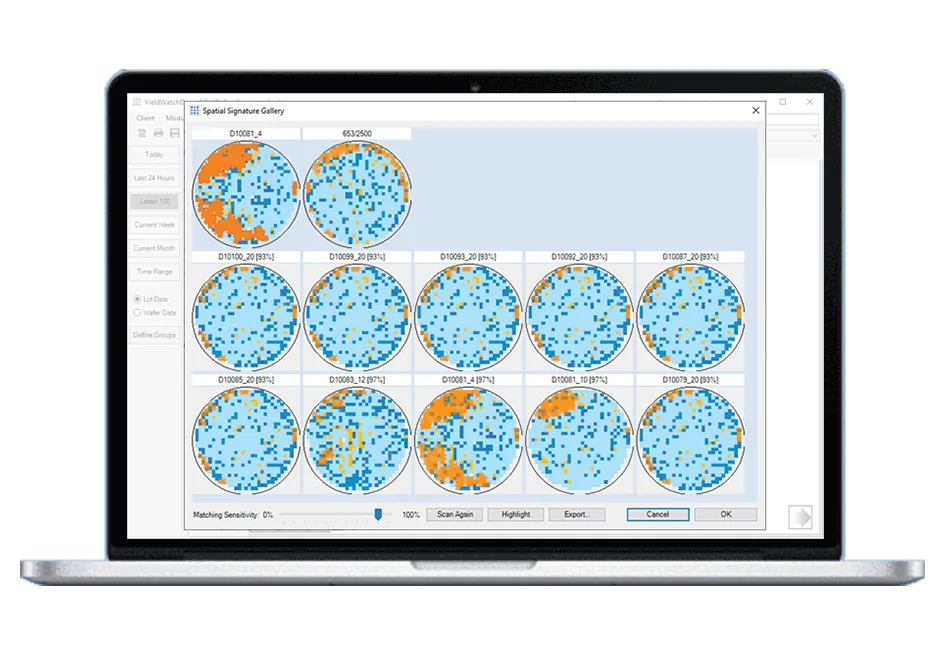
Fragmented data is a major pain point. YieldWatchDog integrates all your fab data — for example probe parametric, binning, PCM/WAT, AOI and defect data — so analysis happens in one client.
Data Sources
One database, any data source
Correlated without manual conversion between systems.
Yield
Chip-level pass/fail, binning and parametric yield data.
Defect/AOI
Inspection data, including images, from any vendor’s equipment.
Equipment & MES
Per-tool trace and process data, correlated with manufacturing execution system data.
Metrology
Measurement data from metrology tools.
PCM/WAT/E-test
Process control monitor, wafer acceptance test and electrical test data.
Any other data
YieldWatchDog can process any kind of numerical data.
AI
The right training data for AI
Convolutional neural networks (CNNs) and other AI models learn only as well as the data they are trained on. In semiconductor manufacturing, that means wafer maps, test results and defect images that are complete, consistent and correctly linked to their lots, wafers and process steps. That is what we have been doing for more than 20 years: integrating fab and test data into one consistent model. With YieldWatchDog, your data is ready to train AI models, whether YieldWatchDog’s own or those of your data science team.
The YWD file format
One simple format for every source
Whatever your source, your data can be converted into YieldWatchDog’s own YWD file format: a plain tab-separated text with a short header, and one file per lot or wafer. These files are then automatically imported at time-based increments that you can select.
- Wafer sort, final test, PCM and inline site data, plus lot and wafer metadata, events, equipment history and shot maps.
- Controlled reloading and retest management: overwrite or merge data by lot, wafer, chip or parameter.
- Coordinate translation per file corrects different wafer coordinates across prober setups.
- Reference maps let the importer detect rotation and mirroring of newly imported wafers automatically.
- Equipment history can be imported before the test data arrives — lots are created automatically.
- Wafer maps can be exported in various formats, automatically on every import if you like.
File Formats
Use whatever format your data already comes in
100+ file formats have already been converted from customer-specific documentation — if your format isn’t listed below, we’ve likely already built something close to it.
STDF / ATDF
Standard Test Data Format and its ASCII-text sibling format — the semiconductor industry’s standard test-data formats.
Defect files
We read KLARF and various other industry-standard defect inspection formats.
Excel (XLS/XLSX)
Spreadsheet exports can be read directly — no need to convert them to CSV files first.
CSV, JSON, XML, and other structured or text formats
These formats are integrated via a configurable field-mapping system, allowing our experts to create loaders and parsers for your data without writing bespoke code from scratch each time.
Any other well-defined format
Do you have a published, fixed-spec binary or text format that isn’t listed here? If it has a documented structure, it’s very likely that we can read it. Just ask us.
Getting Started
How an installation actually works
Low-cost trial installation
Take a test drive using your own data rather than a generic demo dataset. We write the first converters before the trial, so you see your own data from the start.
Remote preparation
Send us sample data files under an NDA. Our experts extend the converters to all your data sources, from files or directly from your database, so you don’t have to adapt your data to fit our software.
In-house IT data integration
Prefer to do the integration work yourselves? We share our file-format documentation so your IT team can build the loaders instead.
One installation week, on site or remote
We install YieldWatchDog, train your engineers and check that your data, imports, reports and alarms work before go-live.
Support for as long as you’re a customer
After go-live, your engineers ask the team that develops YieldWatchDog directly.
We can roll out a YieldWatchDog installation within a few weeks: remote preparation, one installation week, then go-live.
See how getting started works →See YieldWatchDog in action with your own data
Low-cost trial installations are available. Our team writes the first converters before your trial, so you see your own data from day one.
Schedule DemoFAQ
Frequently asked questions
What types of data can be loaded into YieldWatchDog?
Any numerical data can be processed: wafer sort, final test, parameter test (E-test, PCM), inline measurement and defect data. Additional meta and attribute data such as lot equipment history, factory events and lot-tracing information can also be loaded into YieldWatchDog.
How can we load data into YieldWatchDog without a standardized data format?
YieldWatchDog databases all over the world use the exact same data model. We’ve developed our own standardized data integration process for loading data. Either our integration experts write the data converters to parse your data into the required format as part of our service, or your in-house experts can follow our integration guidelines to do it themselves.
How does YieldWatchDog connect to other software tools, such as MES systems?
YieldWatchDog provides open interfaces that can be configured to connect to any other manufacturing software, including MES systems. YieldWatchDog only reads your data, so production isn’t affected. If you want, it can also automate steps such as putting lots on hold or releasing them after recovery.
How do I integrate data from my former yield management system?
Data from a former system is loaded through the same standardized integration process as any other source: our integration experts write the converters that parse your data into the YieldWatchDog format as part of our service — or your in-house team does it following our integration guidelines. Supported inputs include STDF/ATDF, KLARF, Excel, CSV, JSON, XML and other well-defined formats, and we have already built more than 100 customer-specific formats. A direct query against your existing database is also possible; the data is still converted into the YieldWatchDog format on its way in. Because every YieldWatchDog database uses the same data model, years of history stay comparable. You decide how much history to load; YieldWatchDog sets no limit on database size. You also decide whether to run both systems in parallel, and for how long.
How much time is needed to implement YieldWatchDog?
A few weeks: remote preparation, one installation week (on site or remote) including training, then go-live.